How DropShop BD works: from store setup to delivery
Create your seller account and store, source products, set prices in taka and publish to dropshop.bd/your-shop. Then take COD, bKash or Nagad orders and book Pathao delivery. Follow the nine steps below with screenshots in Bangla and English.
Start on your phone in 4 steps
Follow the red arrows. Pictures show a sample shop and product.
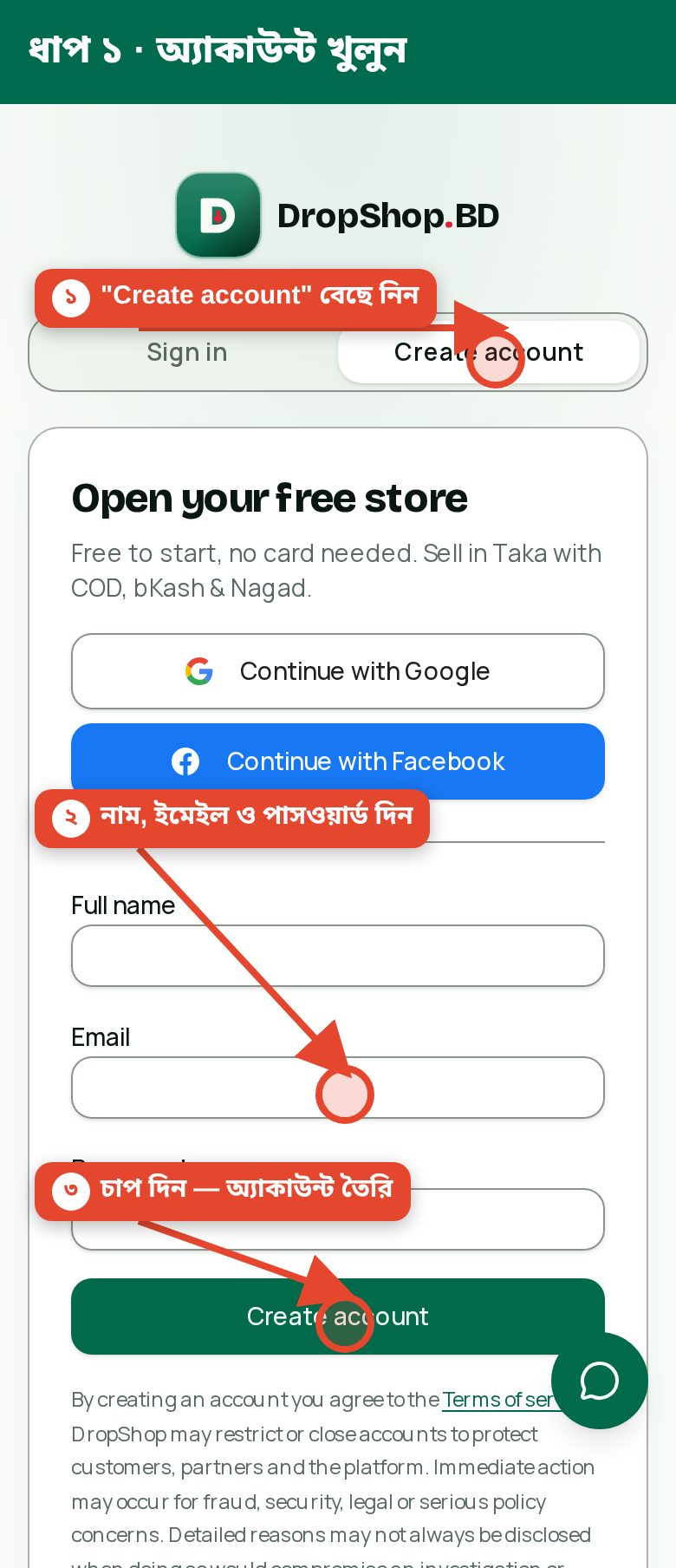
1. Create your account
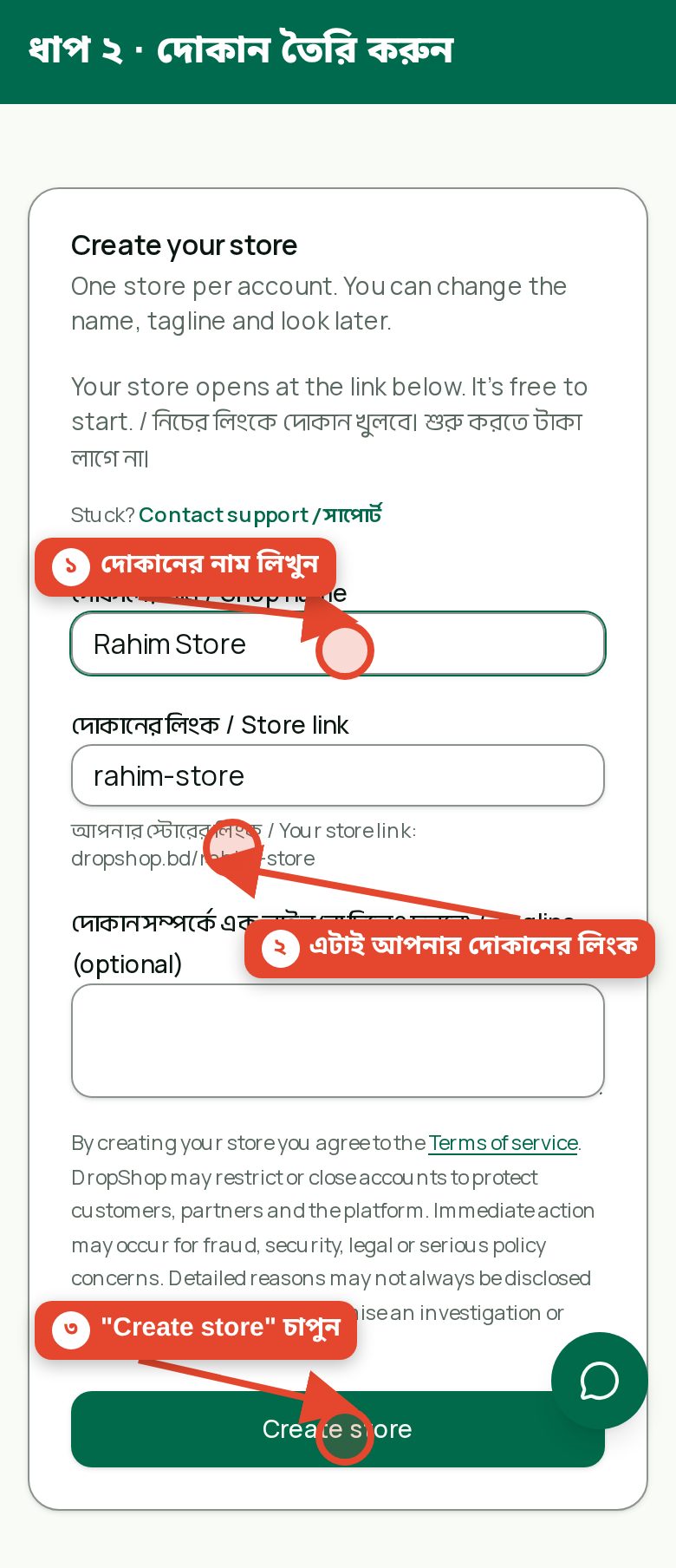
2. Name your shop and link
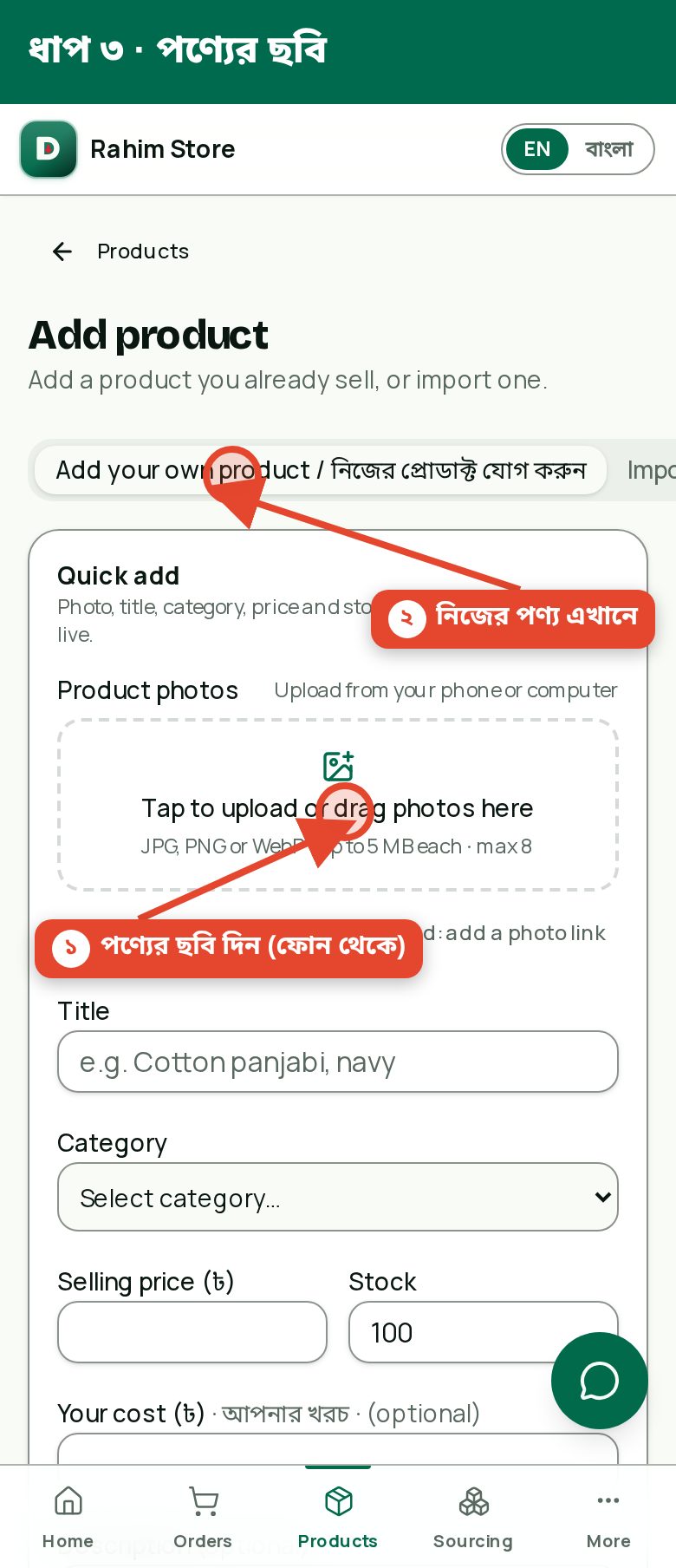
3. Add a product photo
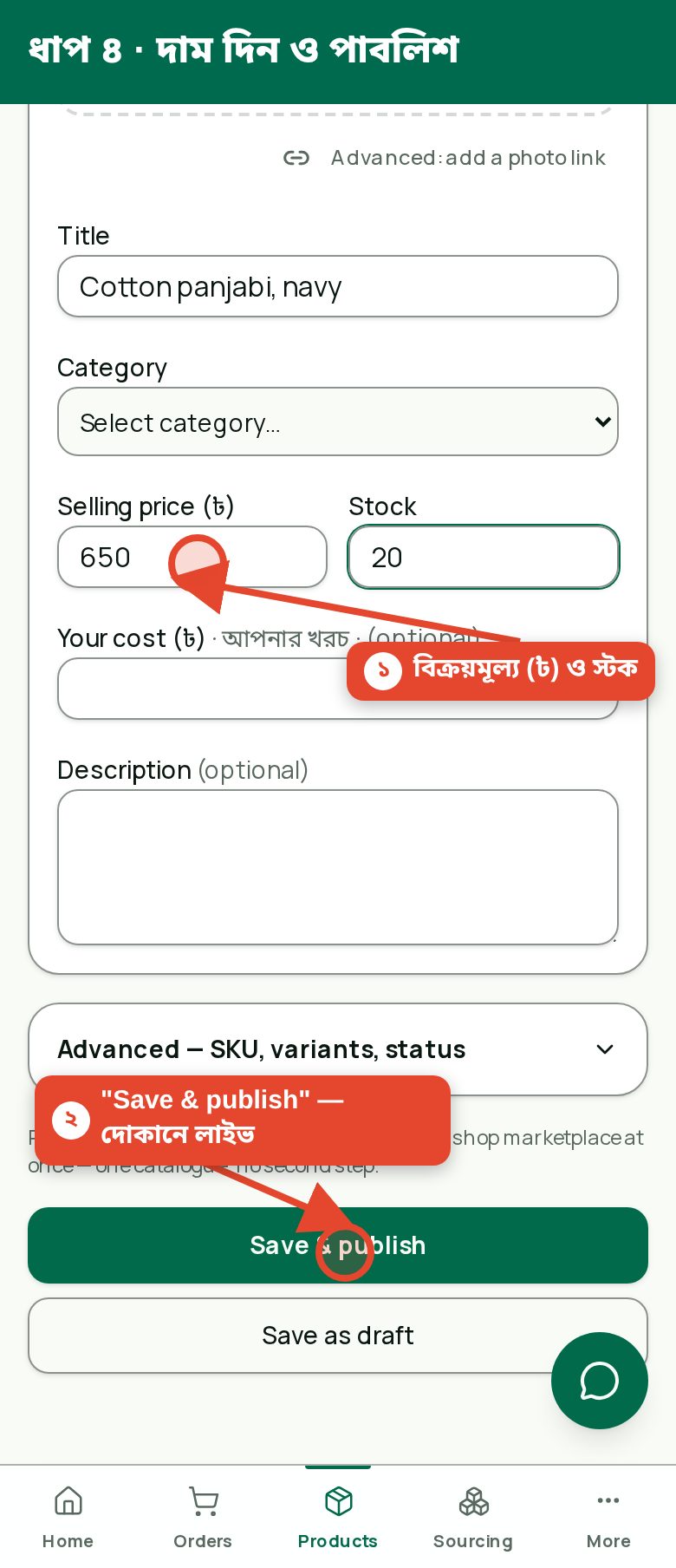
4. Set price and publish
Step 1
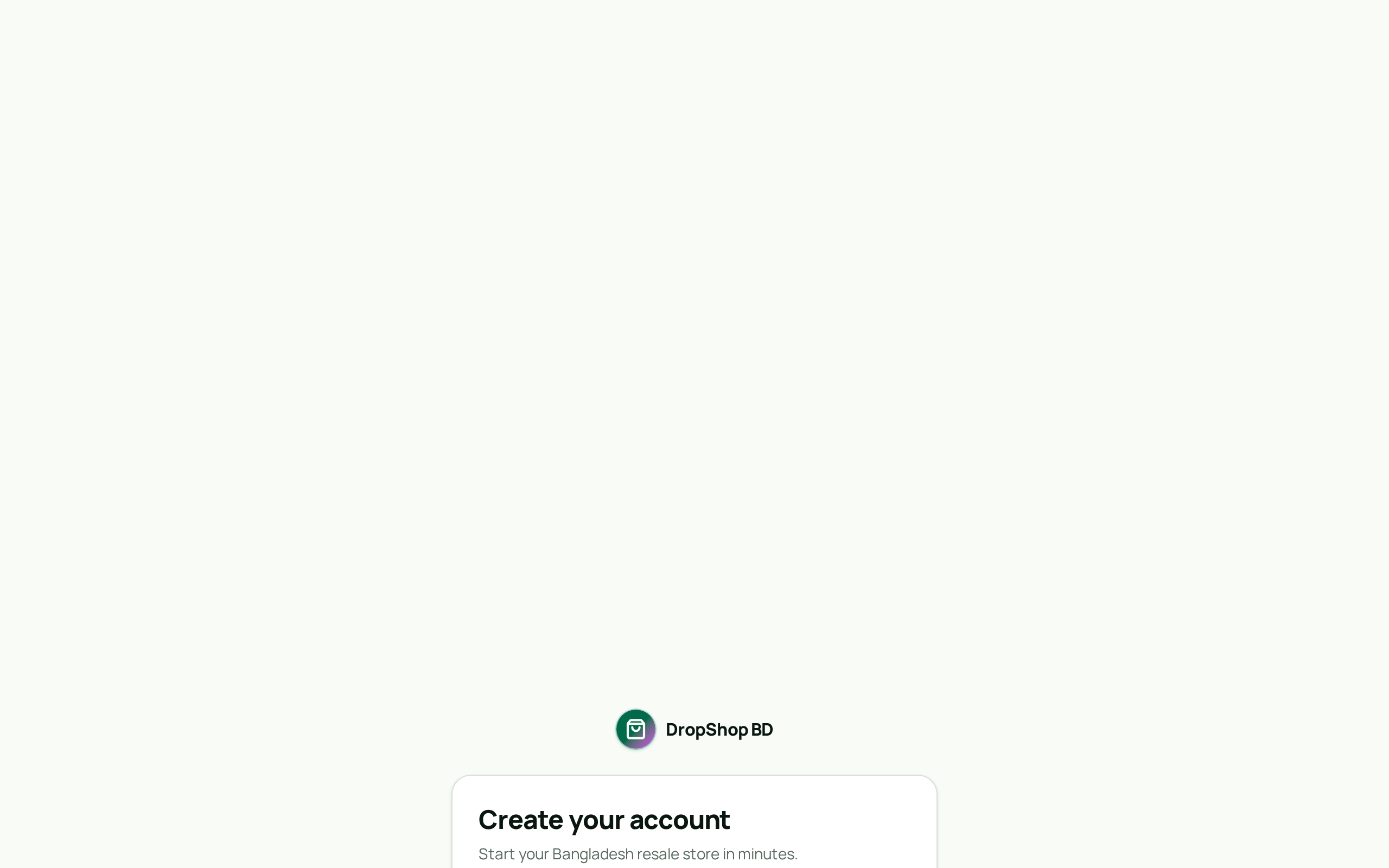
Create your account
Go to the sign-up page and register with a magic link or email and password. Google and Apple buttons appear automatically once enabled.
Tip: Magic link is the fastest — no password to remember.
Screenshot Step 2
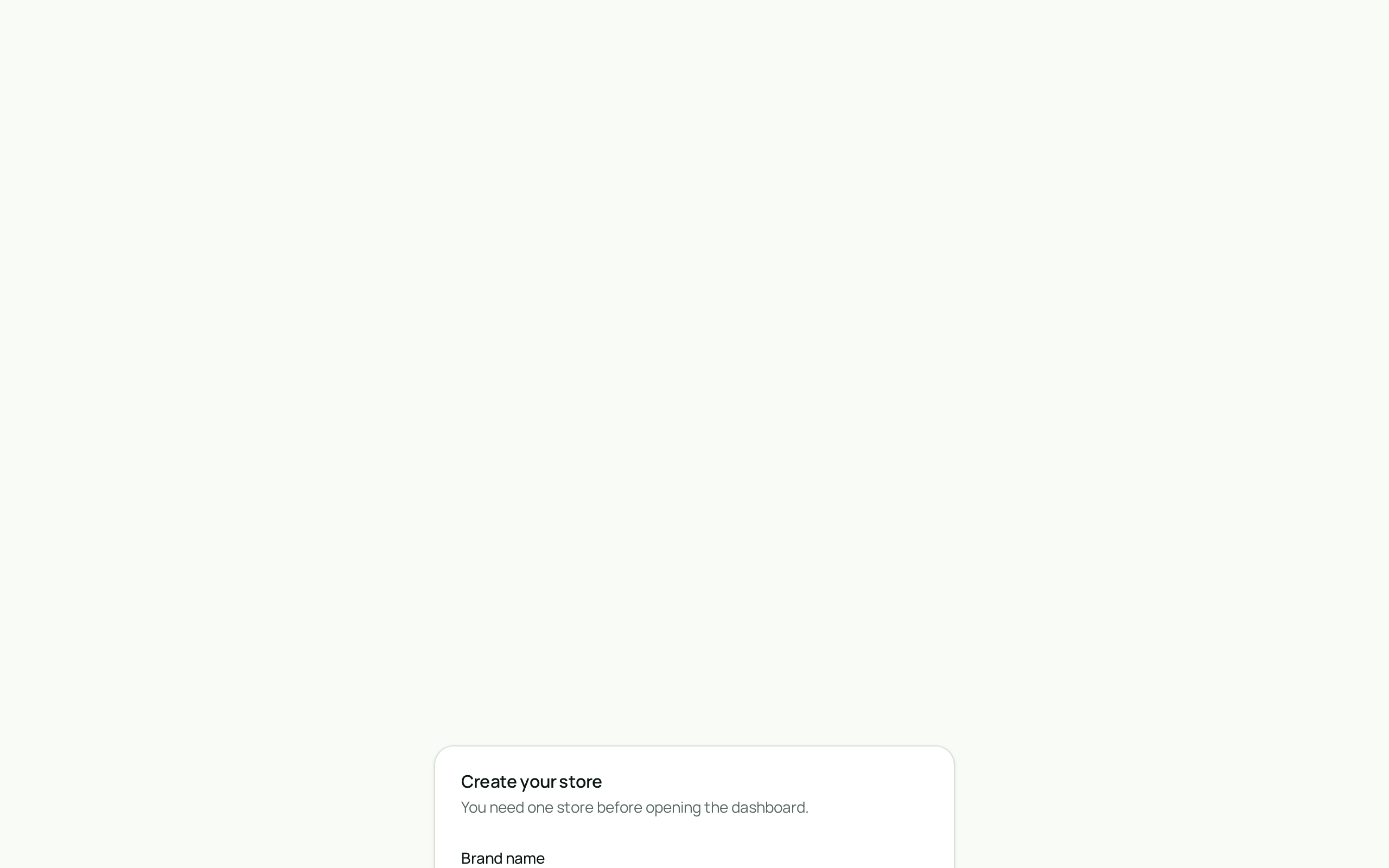
Create your store
Pick a brand name during onboarding. Your public storefront URL is reserved instantly as dropshop.bd/your-slug.
Tip: Choose a short, memorable slug — it is printed on every product you publish.
Screenshot Step 3
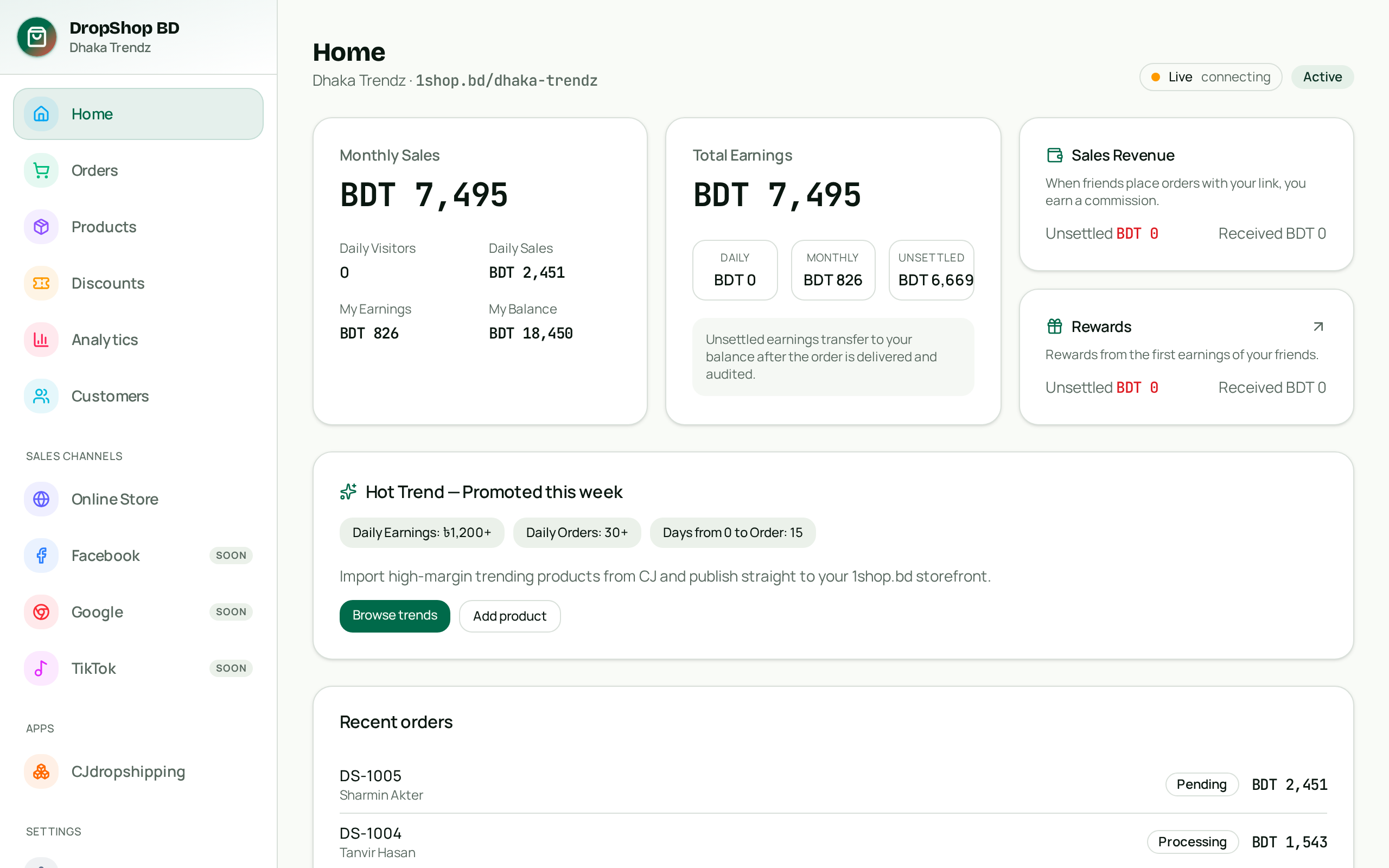
Tour your dashboard
The dashboard shows revenue, orders and product counts in realtime. The sidebar groups Orders, Products and Sales Channels — including your Online Store.
Tip: Everything updates live — no refresh needed when a new order lands.
Screenshot Step 4
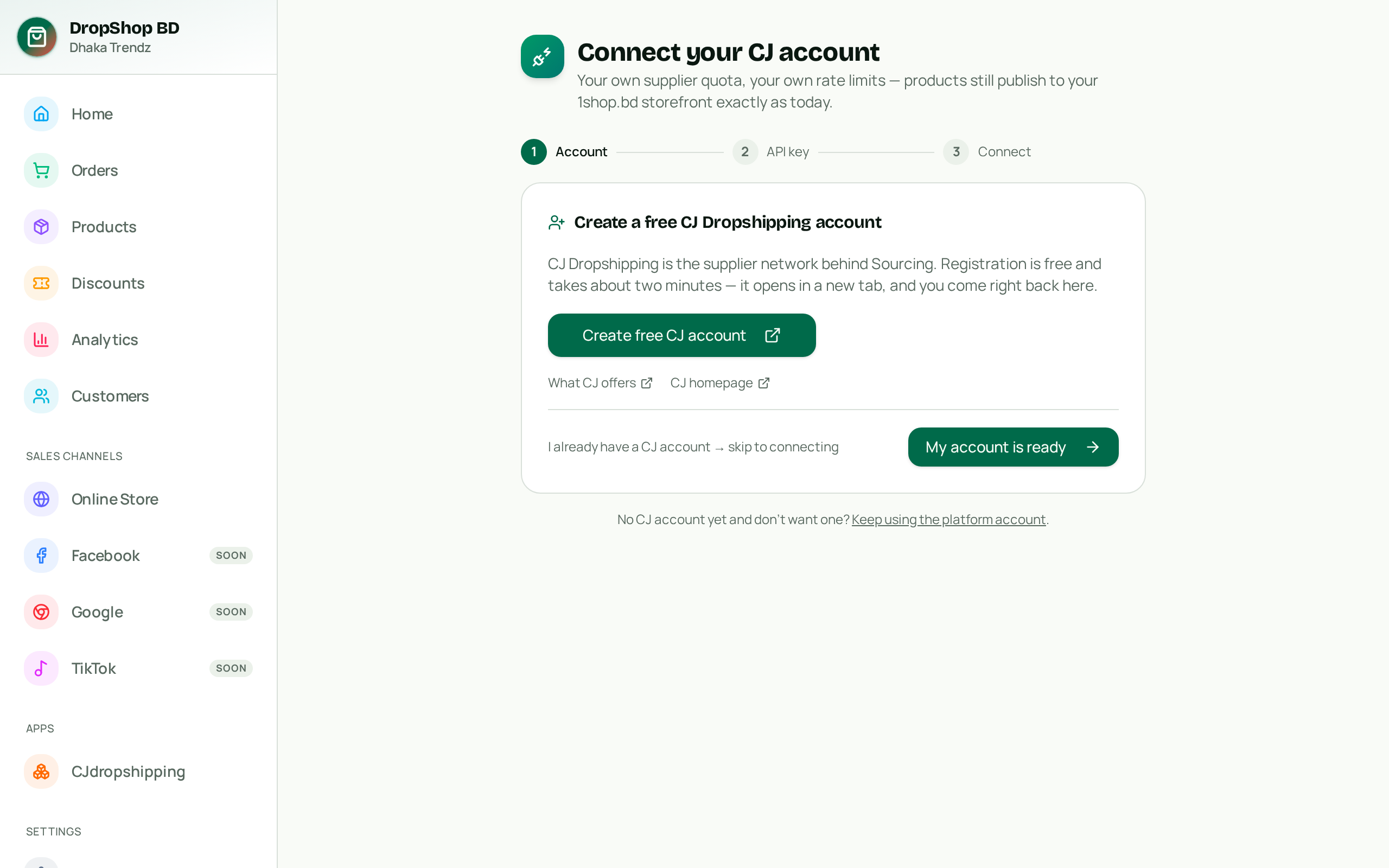
Connect your CJ supplier account
Open Connect supplier and link your own CJ Dropshipping account with email + API key, or keep using the shared platform account while you learn.
Tip: Registering CJ through our referral link gives you a 2% commission rate benefit.
Screenshot Step 5
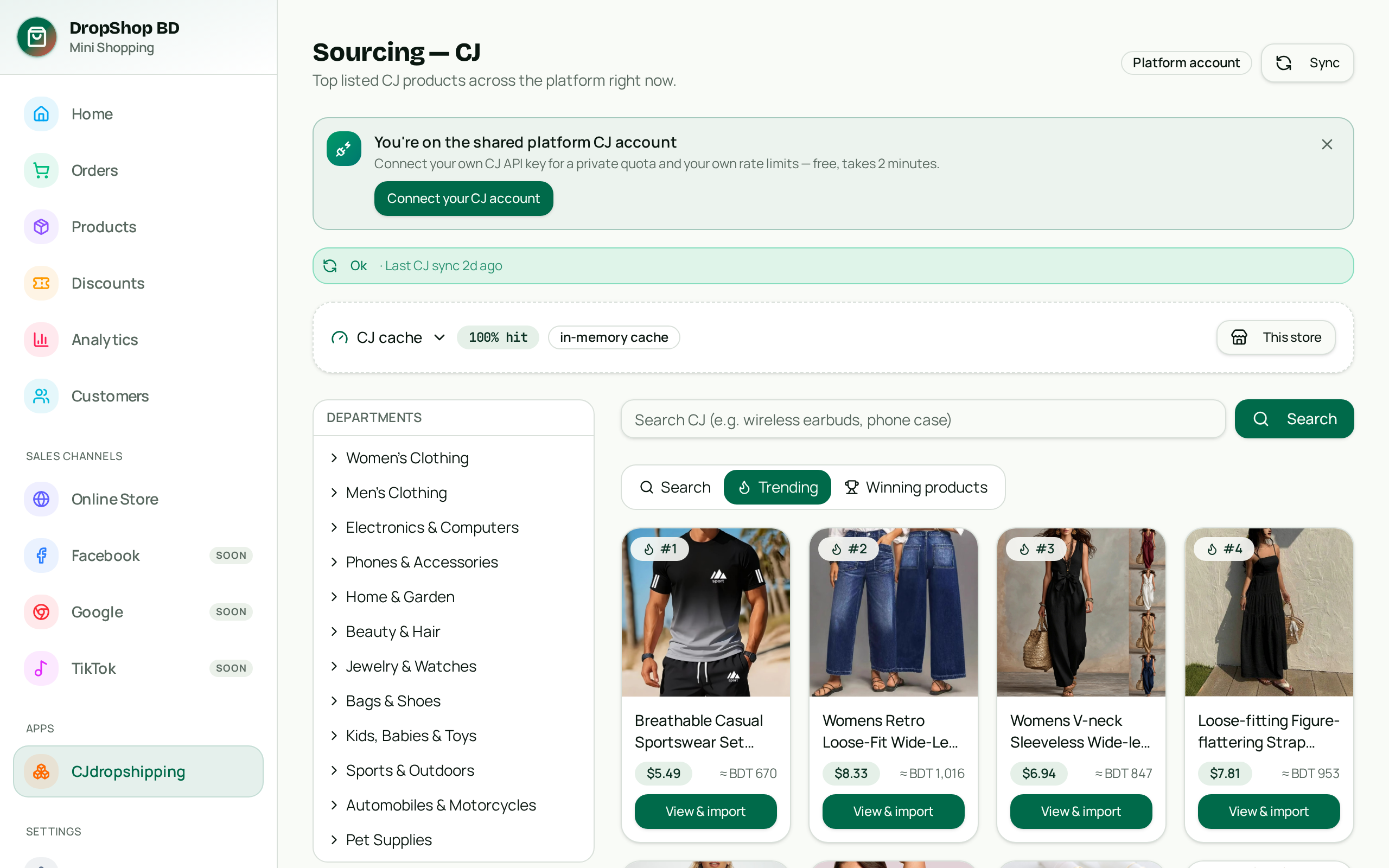
Source winning products
Open Sourcing — CJ. Search the catalogue, or browse the Trending and Winning feeds. Prices are shown converted to taka.
Tip: Winning products show sell-volume badges — a quick demand signal for the BD market.
Screenshot Step 6
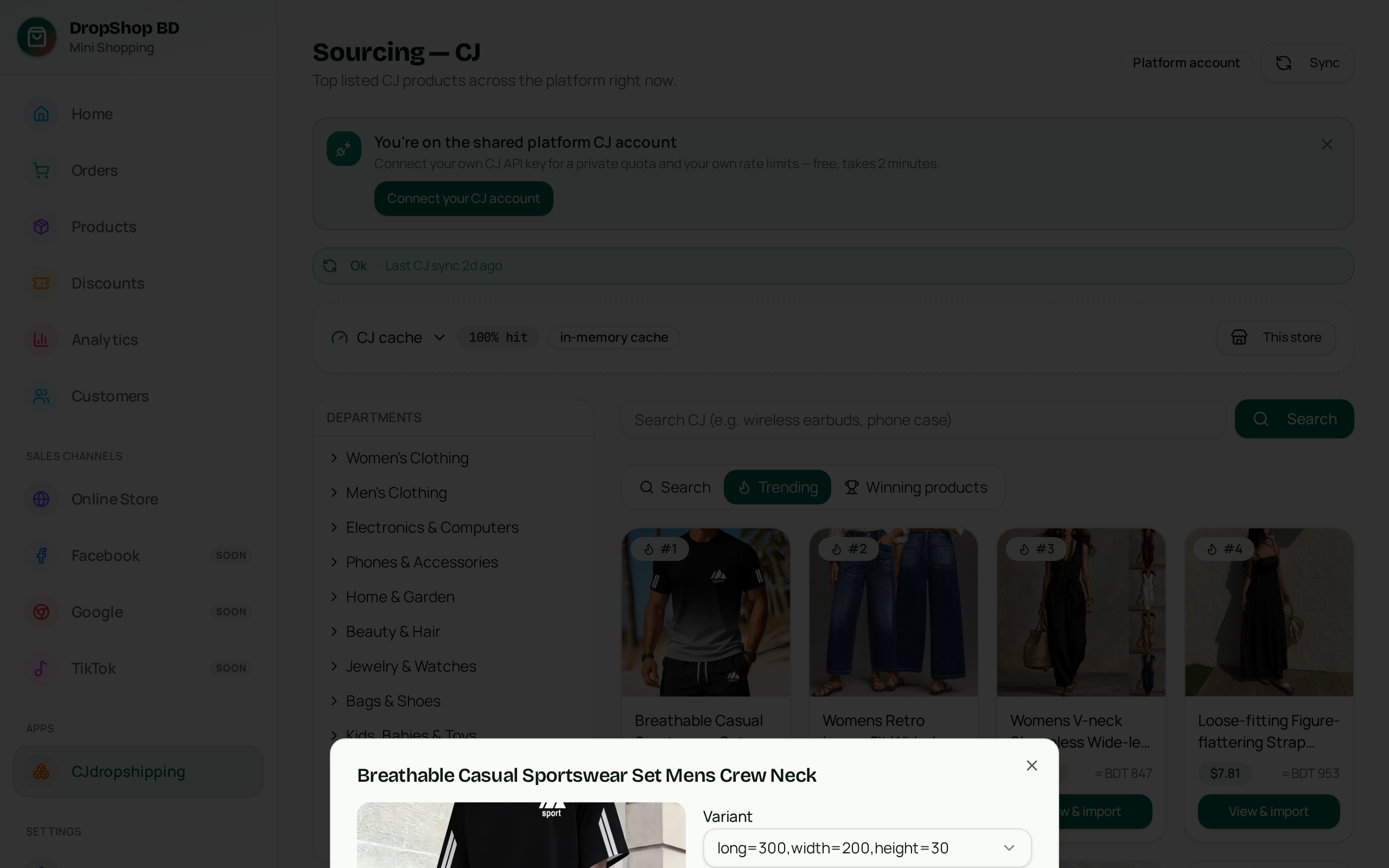
Import with your margin
Click View & import, pick variants, and import. USD cost converts to taka and your default 30% margin is applied — override per product or variant. Importing lists the product; it does not order stock. DropShop does not advance or pre-pay supplier product costs — the product/order cost is paid first, and sourcing and fulfilment are coordinated after that payment is confirmed.
Tip: Cost and margin stay private; buyers only see the selling price.
Screenshot Step 7
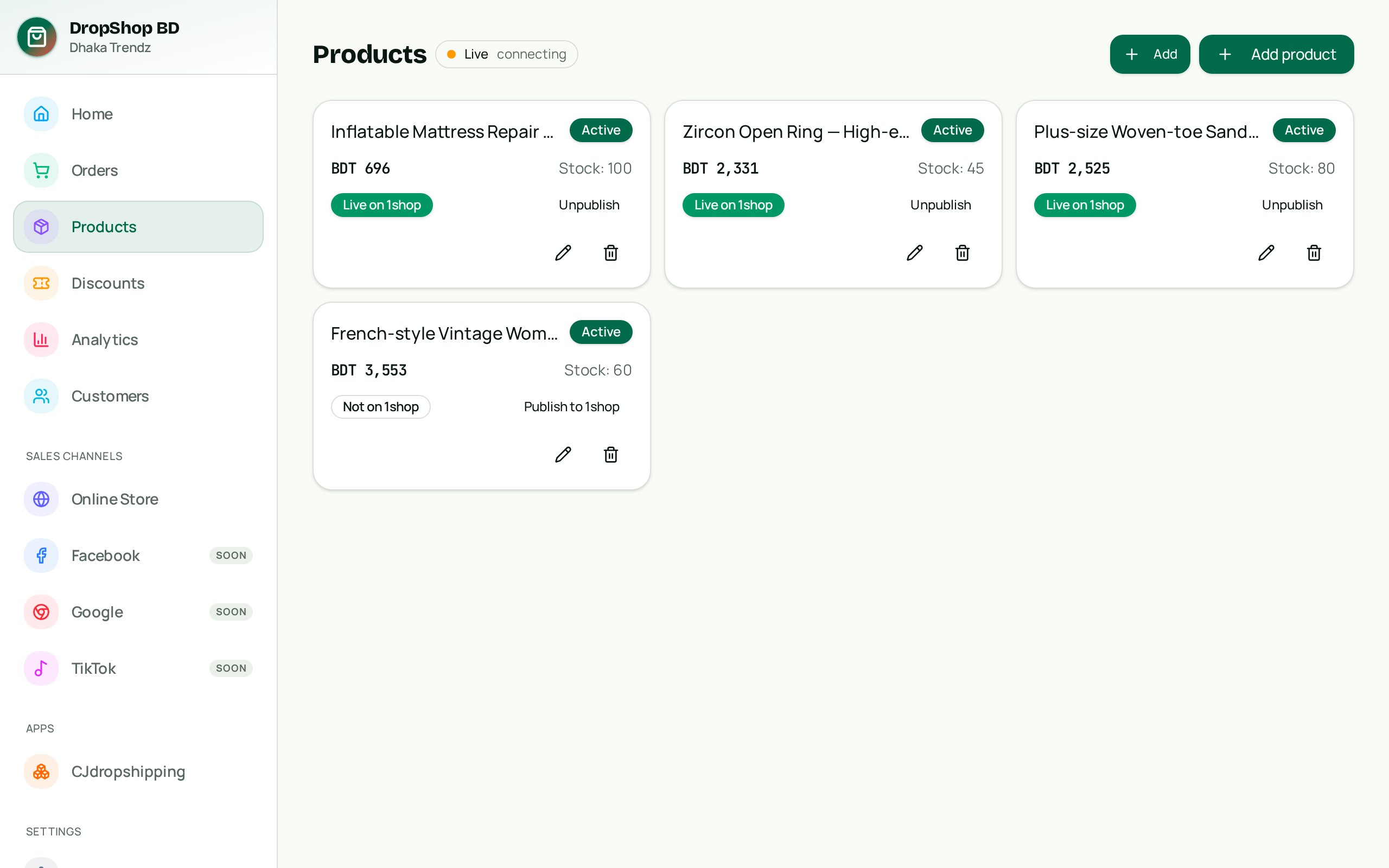
Publish your products
In Products, flip the Publish toggle. The item goes live on your branded storefront within seconds, under your store name.
Tip: Every publish/unpublish is recorded in the audit log.
Screenshot Step 8
Share your storefront
Your public store at dropshop.bd/your-slug works like a mini Daraz — product grid, detail sheets, cart and checkout with COD, bKash or Nagad.
Tip: Share the link on Facebook, WhatsApp and Messenger — orders arrive instantly.

Screenshot Step 9
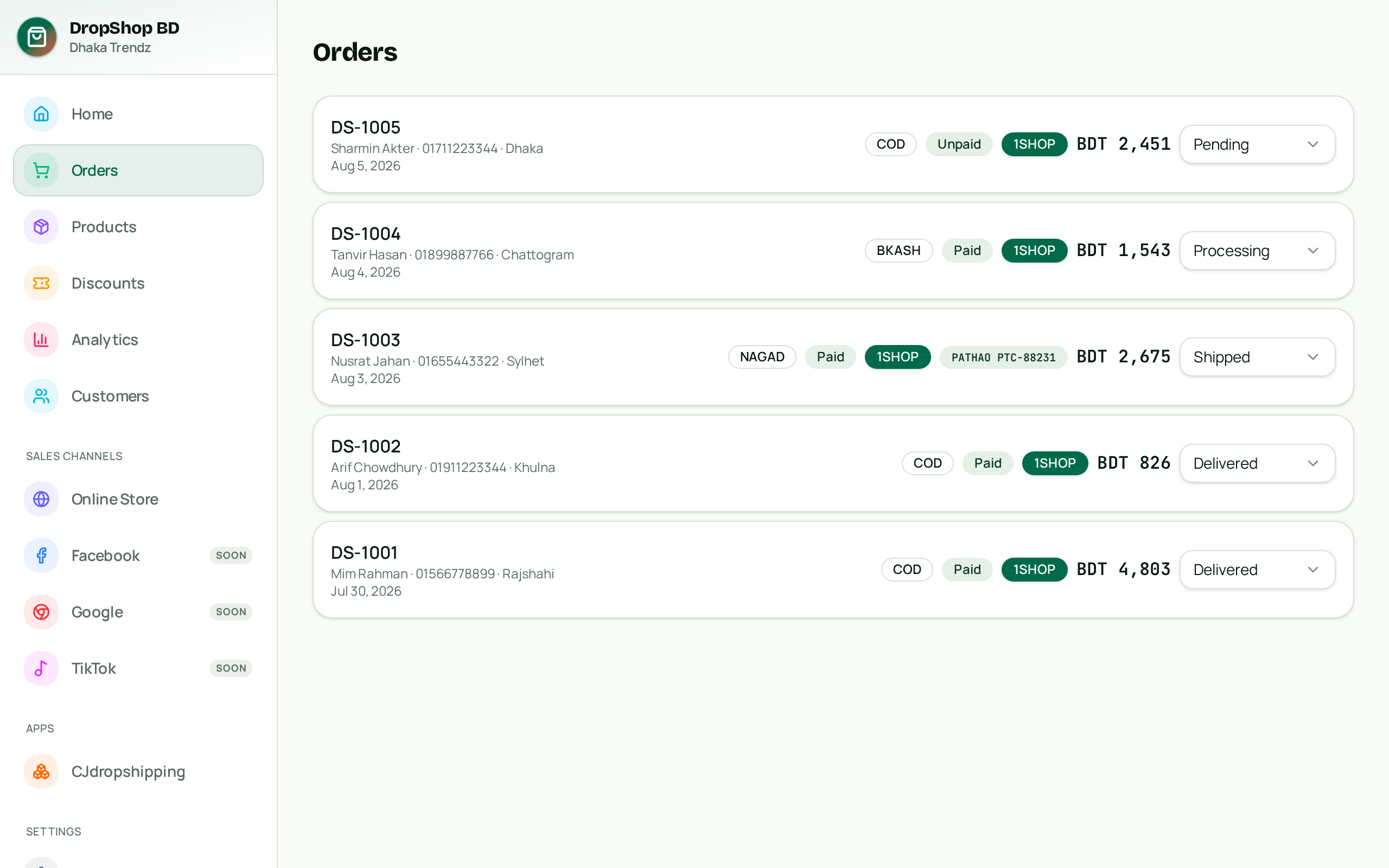
Fulfil orders with Pathao
Orders appear in realtime. Update statuses, get a live Pathao quote and book the consignment in one click until cash is collected.
Tip: Idempotency keys block duplicate orders from shaky mobile connections.
Screenshot